
Connect ChatGPT
Add Agami as a connector in ChatGPT (developer mode) and just ask.
No signup required
There's nothing to sign up for first. Add the Agami MCP server to ChatGPT using the URL below, then Connect. The first time you connect, ChatGPT hands you to Agami's sign-in: choose Google or Microsoft, and a demo account is created on the spot. No API key.
https://public.agami.ai/mcpChatGPT (connectors)
For business usersIn Settings › Apps › Advanced settings, turn on developer mode, then Create app, name it Agami, paste the Agami MCP server URL, and leave authentication on OAuth. Approve access on the redirect.
Plan / access
Custom connectors require Plus, Pro, Team/Business, Enterprise, or Education. The Free plan does not support them. On workspace plans, an admin enables developer mode first.
- Developer mode and MCP apps are a beta feature; OpenAI flags strong prompt-injection warnings and requires manual confirmation for any write action.
- The connector UI and naming have shifted recently, follow the official article for the exact current labels.
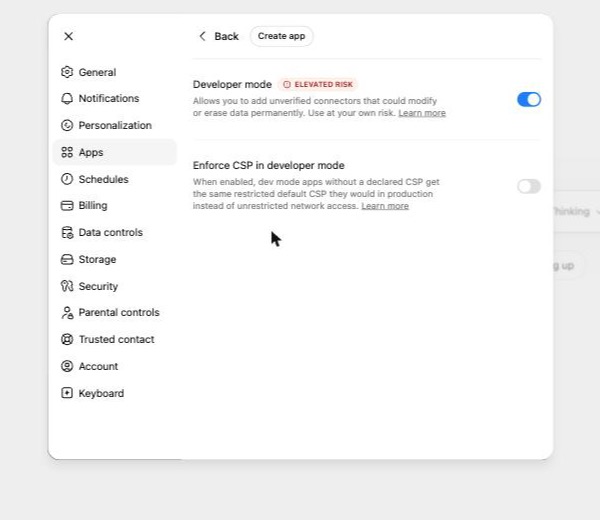
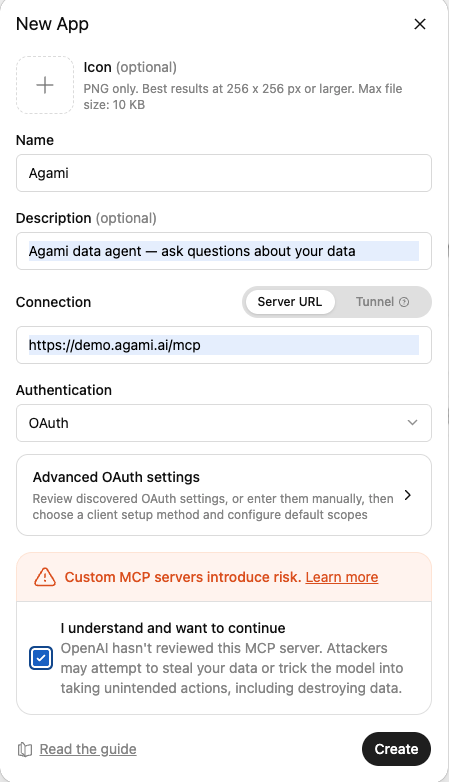
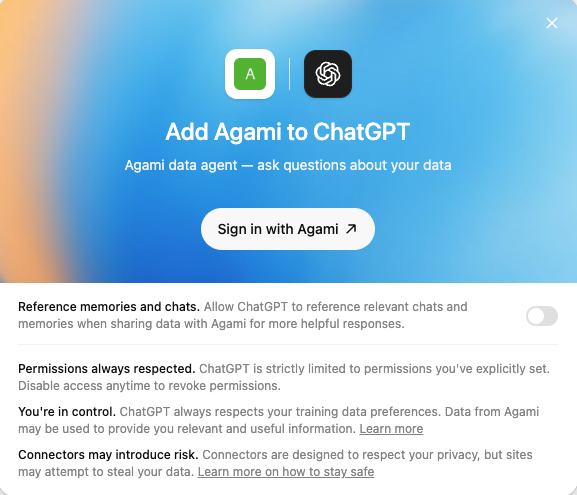
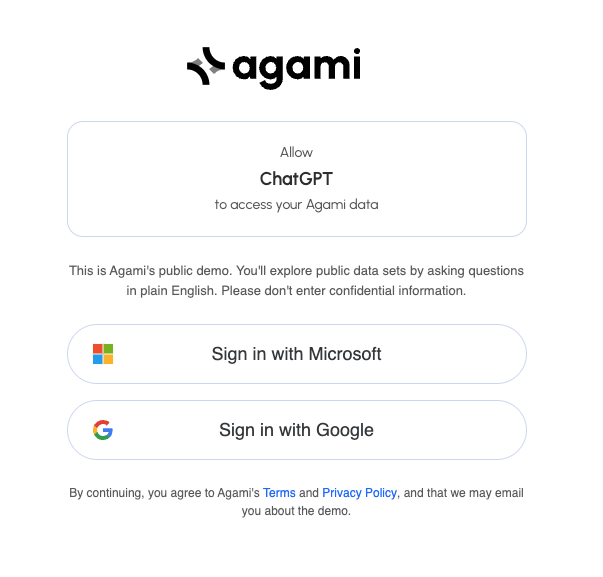
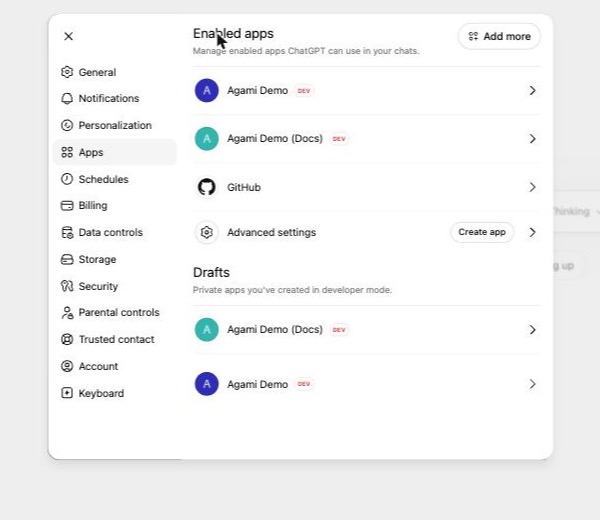
ChatGPT reaches Agami through its connectors feature. After a one-time developer mode toggle, you add the Agami MCP server like any other connector and approve access via OAuth. Then you ask your data questions in the same thread you already use for everything else.
Ask your first question
Add the server URL to ChatGPT, sign in with Google or Microsoft, and ask. The demo is free.
ChatGPT and its logo are trademarks of their owner. Agami is not affiliated with, endorsed by, or sponsored by them. Setup steps live on the vendor's official documentation, linked above, and may change. Verified 2026-05-31.