
Connect Claude
Add Agami as a custom connector in Claude.ai and ask in plain English.
No signup required
There's nothing to sign up for first. Add the Agami MCP server to Claude using the URL below, then Connect. The first time you connect, Claude hands you to Agami's sign-in: choose Google or Microsoft, and a demo account is created on the spot. No API key.
https://public.agami.ai/mcpClaude.ai (web and desktop)
For business usersIn Claude.ai, open Settings › Connectors, choose Add custom connector, paste the Agami MCP server URL, and leave authentication on OAuth. Approve access on the redirect and ask your first question. No config files, no API key.
Plan / access
Available on Free, Pro, Max, Team, and Enterprise. Free is capped at one custom connector. On Team and Enterprise, an Owner adds the connector at the organization level and members connect individually.
- Claude connects to the server from Anthropic's cloud, so the MCP server must be publicly reachable. Agami's hosted demo endpoint is.
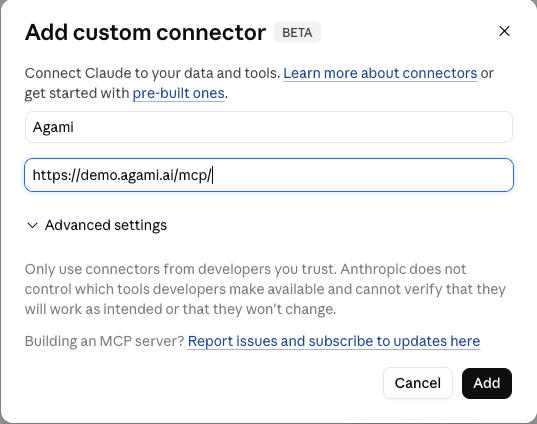
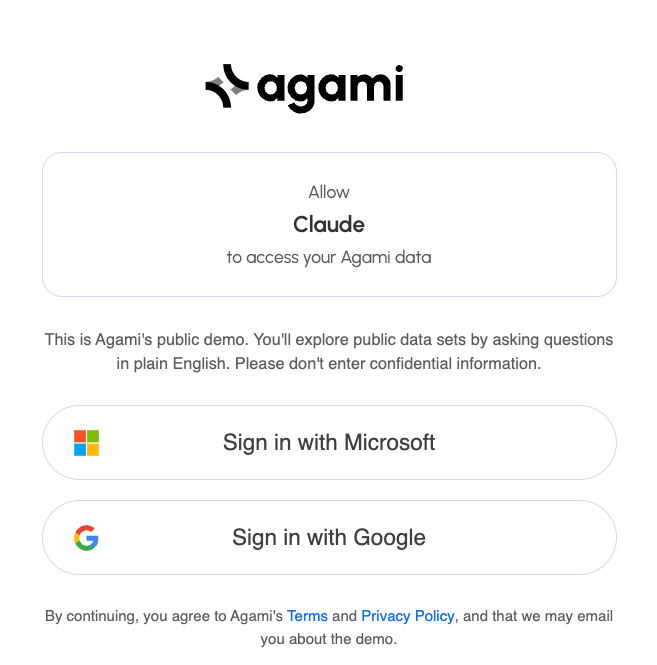
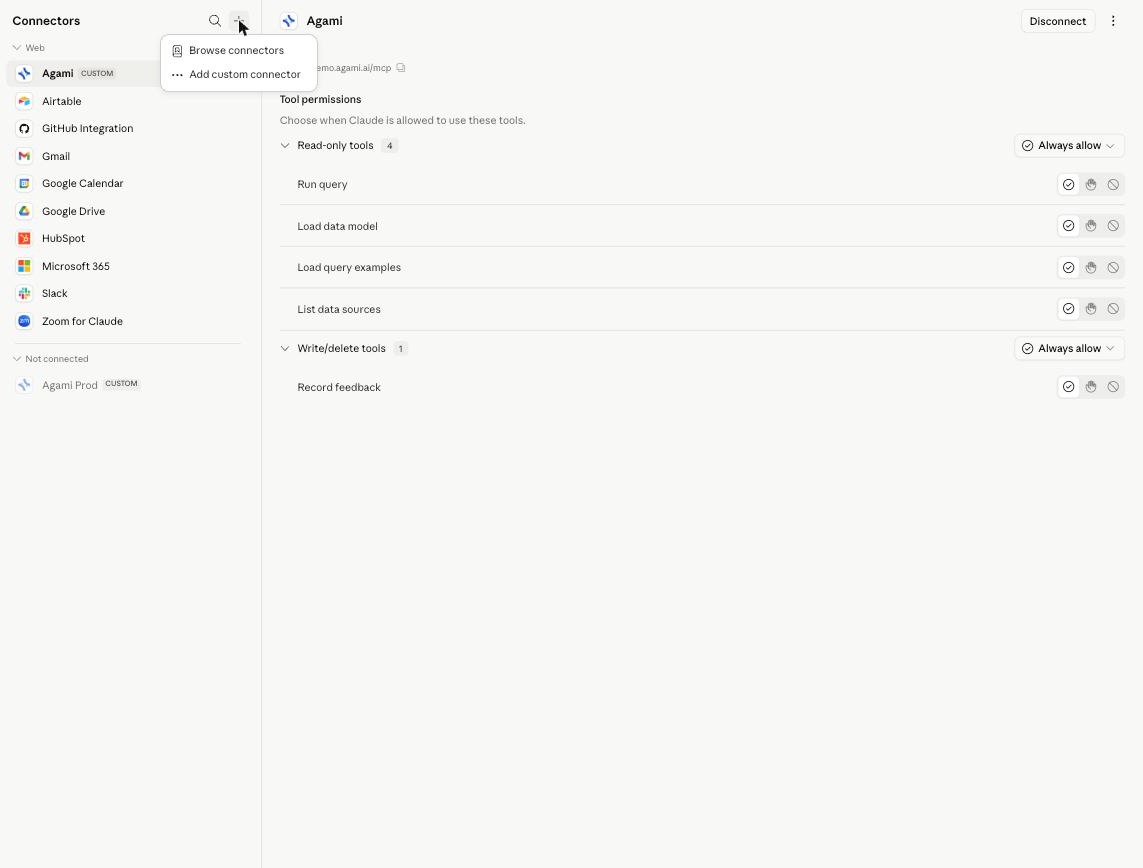
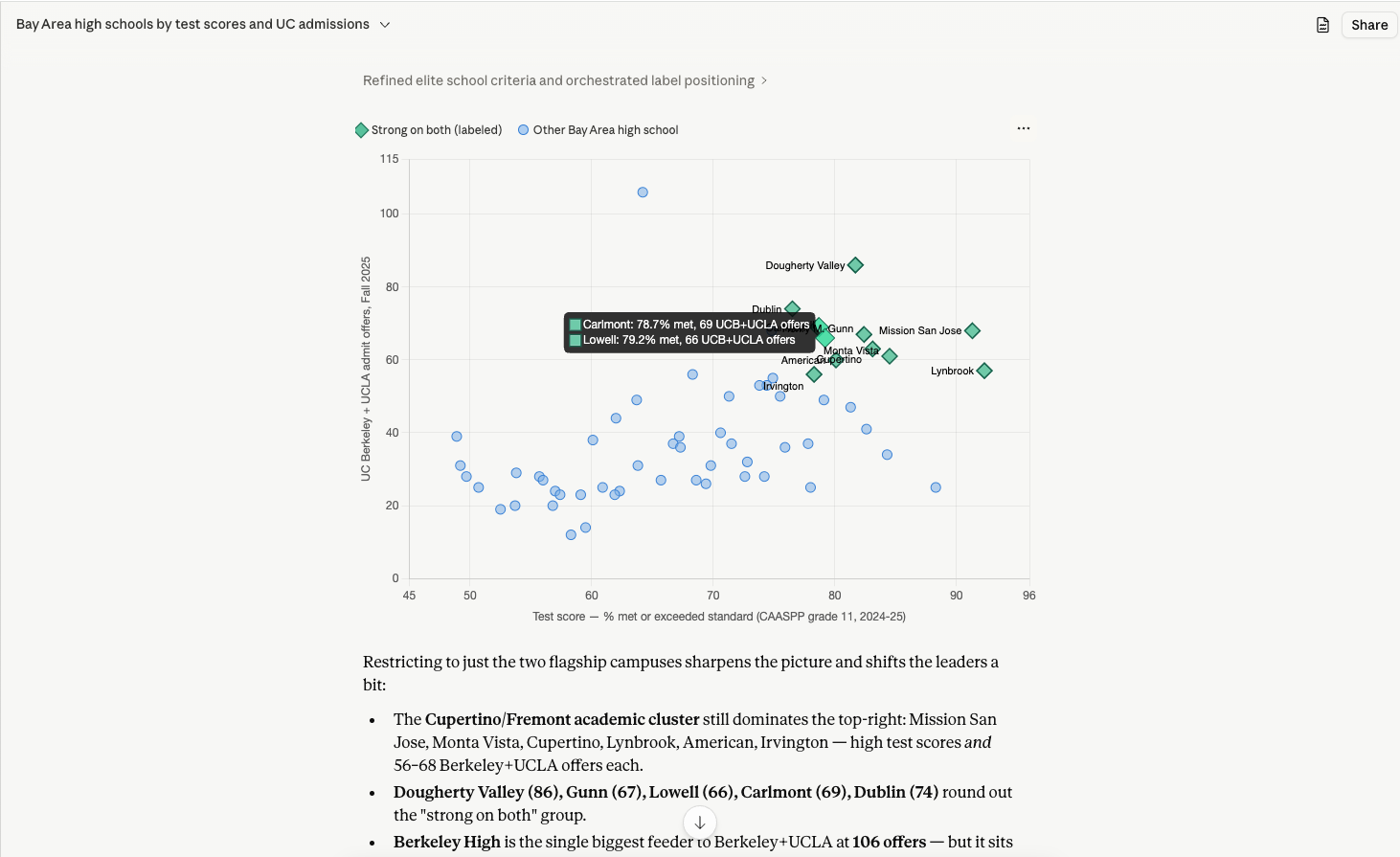
Claude.ai is the simplest place to try the demo. Custom connectors speak remote MCP, so adding Agami is a paste-the-URL-and-approve flow with nothing to install. Once connected, you ask questions in plain English and Claude generates the SQL, runs it through Agami, and answers with the numbers plus a short read on what they mean.
Ask your first question
Add the server URL to Claude, sign in with Google or Microsoft, and ask. The demo is free.
Claude and its logo are trademarks of their owner. Agami is not affiliated with, endorsed by, or sponsored by them. Setup steps live on the vendor's official documentation, linked above, and may change. Verified 2026-05-31.